|

|
The Movement Book Report
|
Overview
The Movement Book reports can be found via the Reports | Identities | Movement
Book menu. There are two options; one is the official format and the other
is a brief format which is quick to interpret. You can view the movements for any
animal by right clicking in the Animal Details window and then selecting Movements.
If you are using the Locations facility, there is a seperate report called Location Moves;
this is also found under the Reports | Identities menu.
Specifying a Movement Book Report
First select the Report type - Brief or Official
Now select whether you want all movements or specific movements
Where All movements are required, specify the Date parameters and Sort order,
then click Print or Preview
In the case of Specific Movements, there are further parameters to specify, as
detailed below:
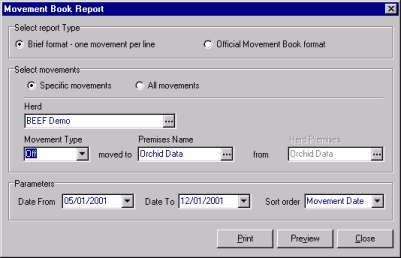
- If you wish to show a certain movement type for the Herd premises, select the Herd
from the drop-down box and then select the Movement Type. Then select the
required Premises Name. E.g. "Beef Demo" herd premises,
"OFF" Movement type, moved to "Orchid Data" premises. Now
specify the Dates from/to and the Sort Order and then click Print or Preview.
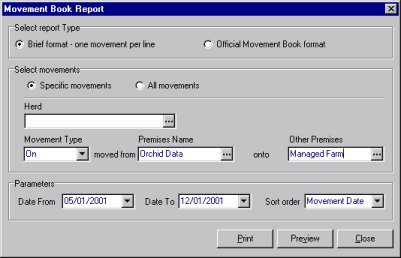
- If you wish to select specific movements between two external premises (not involving
your herd premises), you need to delete the Herd name so that the Herd drop-down
box is blank (highlight the herd name with your cursor and then press the Delete
key on the keyboard). If you have done this correctly, the Other Premises drop-down
box becomes "active" (shown below). Now select the Movement Type
and then the Premises Name and the name of the Other Premises.
E.g. "ON" Movement, moved from "Orchid Data" onto
"Managed Farm". Now specify the Dates and Sort Order and then click Print
or Preview.