Updating Herd Book Numbers |
You can easily download herdbook number and breed society codes for animals that have been previously registered with Holstein UK. It is advisable to do this soon after the animal has been registered so that your farm database is always up-to-date; this will make certain tasks easier later on - like registering calves born to heifers via the Animal Registration Wizard.
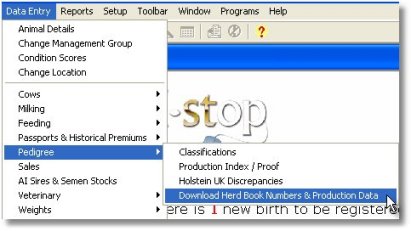
Periodically, click to the Data Entry menu > Pedigree > Download Herd Book Numbers & Breed Codes. When you click on this menu item will be prompted for your HUK PIN number. Key this in and click OK to login to the HUK central system (if you are using a dial-up Internet connection your Connection dialog box should display). The download will begin and you will see a message in the Status bar at the bottom of the program screen "Receiving Response". Next a progress bar will display as the records are updated (shown below).


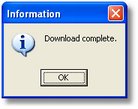
The program will confirm when the download is complete
You can now view animal herd book numbers by going to Data Entry | Animal Details.
Note: Herd Book Numbers and Production data can also be downloaded using the Data Entry | Pedigree | Production Index / Proof menu. Simply open this menu item and click on the "Web Update" button on the screen that display to start the download.
|
|